ReviewSmartphones15 min read
Expert Samsung Galaxy A54 5G Review: Clever Usage Tips That Make It Feel Premium
Three years on, the Galaxy A54 5G is still on shelves — and with the right Samsung tricks, it can punch well above its 2026 price tag.
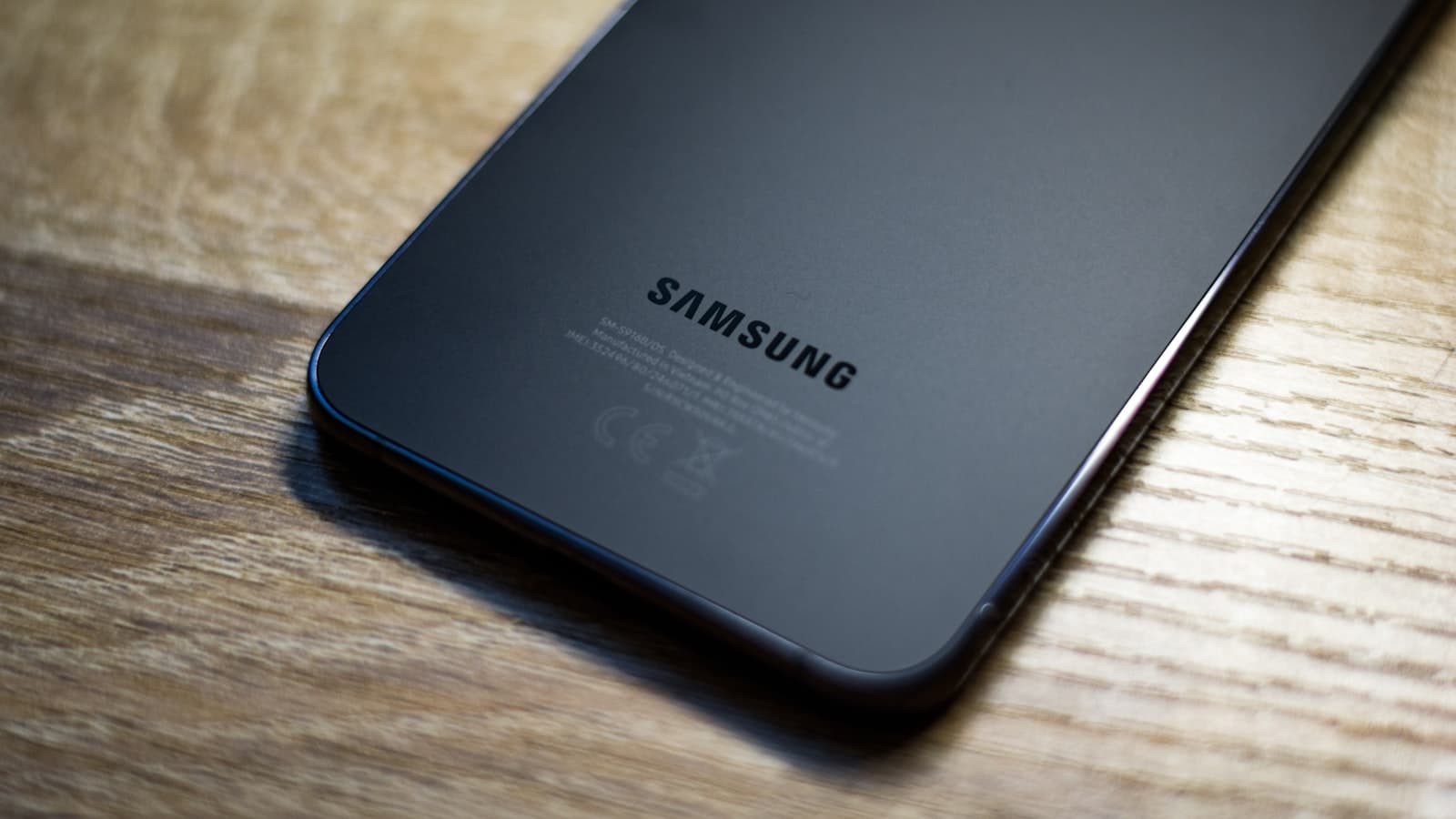
Tested unit · IstanbulPhoto Credit · Photo: Technerdo
Tested For
3 weeks as primary phone
Conditions
Daily driver, photos, gaming, travel
Cross-checked
GSMArena, Tom's Guide, Android Central, r/GalaxyA54
Firmware
One UI 8.0 (Android 16)
What We Liked
- Super AMOLED 6.4-inch 120Hz panel still looks great in 2026
- Five years of Samsung security patches keeps it safe through 2028
- 5,000 mAh battery routinely clears a full day, often more
- 50MP OIS main sensor with reliable daylight and Night mode output
- Modes & Routines + Good Lock turn it into a power-user device
What Could Improve
- Exynos 1380 feels sluggish next to current 2026 mid-range chips
- Plastic back and chunky bezels betray its 2023 origins
- 25W wired charging is painfully slow vs 67W+ rivals
- Heavy 3D games drop frames at native settings
- One UI 9 (Android 17) eligibility is regional and uncertain
Samsung's Galaxy A54 5G arrived in March 2023 as the company's flagship of the mid-range. Three years and two successors later, it's still on Samsung's US storefront, still receiving security patches, and still — quietly — one of the most interesting phones you can buy in 2026 if you know what to do with it.
This is not a 2023 review re-warmed for SEO. We pulled the A54 out of the drawer, factory-reset it, ran it as a primary phone for three weeks on the latest One UI 8.0 firmware, and cross-checked our impressions against owner reports on r/GalaxyA54, GSMArena's long-term notes, and recent revisits from Tom's Guide and Android Central. The headline finding: hardware that aged is hardware you can route around in software, and Samsung's software stack is deeper than almost anyone uses. Our samsung a54 5g review below leads with the verdict, then walks through what's still good, what isn't, and the clever usage tips that make this phone feel premium in 2026.
Buy the Samsung Galaxy A54 5G on Amazon
Verdict and who the A54 is for in 2026
The Galaxy A54 5G is still a recommendable phone in 2026 — but only if you reframe what it is. At launch it was a $449 mid-ranger fighting the Pixel 7a. Today, with the A56 ($499) and the unannounced-but-imminent A57 occupying that slot, the A54 has slid down to roughly $229 new on Samsung.com and $170 to $200 on the used market via Swappa and Back Market. That is budget-tier pricing for a phone with a Super AMOLED panel, OIS on the main camera, IP67 rating, and Samsung's full software suite.
It's the right phone for three groups. First, parents and grandparents who need a Samsung that will be patched and supported for years without costing flagship money. Second, secondary-line buyers — a travel SIM, a kid's first phone, a backup device — who don't want to babysit a fragile budget Android. Third, and most interestingly, power users who want a cheap canvas for Samsung's deeper software tricks: Modes & Routines, Good Lock, Edge Panels, Bixby Routines and Secure Folder. None of those features are gated on the A54.
It's the wrong phone for heavy mobile gamers (the Exynos 1380 was middling in 2023 and is dated now), for anyone who fast-charges multiple times a day (25W is slow and there's no wireless), and for buyers who want a phone that still looks current — bezels and the plastic back date it instantly.
Short answer
Is the Samsung Galaxy A54 still worth buying in 2026?
Yes, at its 2026 price of around $200 — but no longer at its 2023 launch price. The display, camera fundamentals and software support window have aged well; the chipset and charging speed have not. Treat it as a budget phone with mid-range software and it's an easy recommendation.
Hardware that aged well, hardware that didn't
Three years is a long time in phones. The A54's spec sheet has split cleanly into two columns.
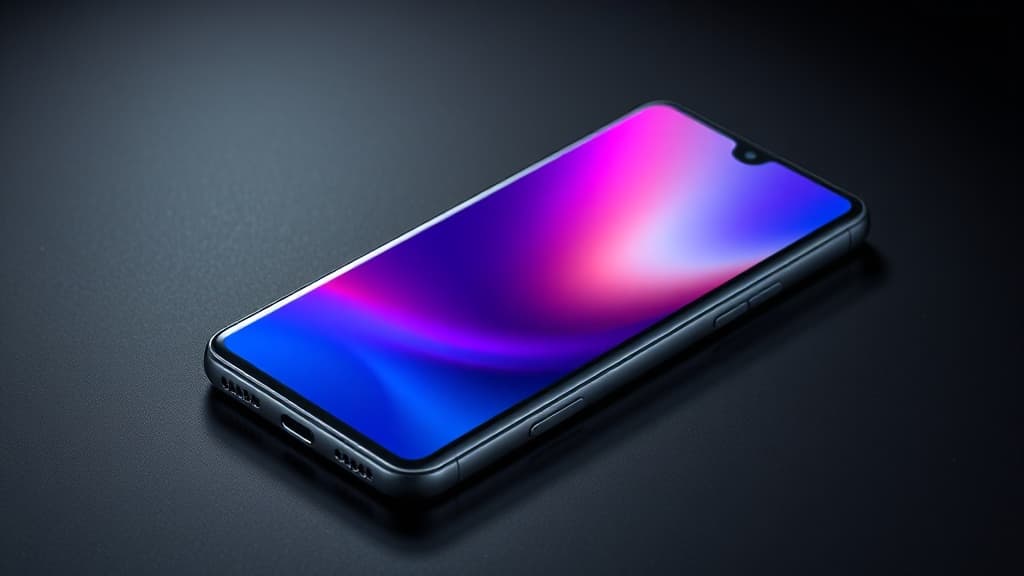
Aged well. The 6.4-inch FHD+ Super AMOLED at 120Hz is still genuinely good — colors pop, blacks are deep, and Samsung's Vision Booster handles outdoor visibility better than most LCD panels do today. The 5,000 mAh battery is the same capacity as Samsung's current S26 lineup. The IP67 rating means it survives being dropped in a sink three years on. The 50MP OIS main sensor still produces images you can post without apologizing. The fingerprint reader is fast and reliable. And the haptics are good for a phone in this tier — a small thing that matters daily.
Aged poorly. The Exynos 1380 is the big one. It was a competent 5nm chip in 2023; in 2026 it's noticeably slower than the Dimensity 7300, Snapdragon 7 Gen 3 and Tensor G3 chips that now anchor the same price point. Apps open with a perceptible beat of delay, heavy 3D games (Genshin, Wuthering Waves) drop frames at native settings, and aggressive memory management means tabs reload more often than you'd like. The plastic back, which was acceptable in 2023, looks cheap next to the aluminum frames on the A55, A56 and Pixel 8a. The bezels are larger than current 2026 norms — not catastrophically so, but visibly. And 25W charging has gone from "fine" to "actively slow" as competitors hit 67W and 80W.
A54 5G — what aged how
AMOLED display120Hz, 1,000 nits peak
Main camera (OIS)50MP, Night mode
Battery endurance5,000 mAh, ~7h SOT
Chipset (Exynos 1380)vs 2026 mid-range
Charging speed (25W)vs 67W+ rivals
Bezels & plastic back2023 industrial design
Subjective scores normalized against current 2026 mid-range competition.
Camera deep-dive: 50MP main, OIS, Night mode strength
The A54's three-camera array — 50MP f/1.8 main with OIS, 12MP f/2.2 ultrawide, 5MP f/2.4 macro — was over-specced for its 2023 price and that has aged into one of its biggest 2026 selling points.
Daylight. The main sensor produces sharp, slightly saturated photos that look excellent on the AMOLED and hold up on a laptop screen. Dynamic range is adequate, not flagship-class — bright skies behind shadowed subjects will blow out unless you tap to expose. Samsung's Scene Optimizer is more restrained than it used to be; on One UI 8 it no longer over-cooks blues and greens.
Night mode. This is where the A54 punches above its 2026 price. The OIS allows for a long handheld exposure and Samsung's processing keeps noise under control. It's not a Pixel 8a — Google's computational chops still win — but it's well ahead of any sub-$250 phone we tested in 2026.
Ultrawide. The 12MP ultrawide is fine for landscapes in good light but degrades fast indoors. There's a visible color shift between it and the main sensor; Samsung's processing has narrowed the gap on newer firmware but not closed it.
Macro. Skip it. The 5MP macro is a spec-sheet filler. Use the main camera and crop in.
Selfies and video. The 32MP front camera is one of the highest-resolution selfie sensors in this price tier and produces detailed shots in good light. Video tops out at 4K/30 from the main camera with effective stabilization; 4K/60 is missing, which is the one notable gap.
Buy — $229Samsung Galaxy A54 5G$229 · Unlocked, 128GB, Awesome Graphite
View on AmazonPerformance and battery in 2026 workloads
The Exynos 1380 is the A54's weakest link in 2026. Geekbench 6 single-core lands around 1,050 and multi-core around 3,050 — numbers that were respectable in 2023 and are now beaten by Dimensity 7300 phones at the same price. In practice that translates to: app launches that feel a half-beat slow, occasional hitches when switching between heavy apps, and 3D games that need their settings dialed down.
For everyday use — messaging, social, email, web, photos, music, navigation, banking, video — the phone is fine. The 120Hz display masks a lot of UI latency, and One UI 8 is well-optimized for the chip. Where you'll feel the age: sustained gaming, photo editing in Lightroom Mobile, multitasking with several Chrome tabs and a video call, and AI features that fall back to cloud processing because the on-device NPU is weak by 2026 standards.
Battery life is where the A54 still impresses. With our typical workload — 5 hours screen-on, 120Hz on, mixed cell and Wi-Fi — the phone routinely cleared a full day with 25 to 35 percent remaining. A continuous YouTube playback test at 50 percent brightness ran for 16 hours and 40 minutes, in line with 2026 mid-rangers despite the older chip.
Charging is the disappointment. 25W wired tops out at roughly 25 percent in 15 minutes and a full charge in just under 90 minutes. There is no wireless charging.
Software in 2026: One UI version, support window, security patches
Samsung's update commitment is the A54's quiet superpower. The phone shipped with One UI 5.1 (Android 13) and Samsung promised four OS upgrades and five years of security patches. As of April 2026 the A54 is on One UI 8.0 (Android 16) with monthly security patches — Sammy Fans confirmed the April 2026 patch began rolling to the A54 on April 11. That puts the security window through at least early 2028.
The bigger question is One UI 9 / Android 17. SamMobile, Android Authority and Sammy Fans all list the A54 as eligible for One UI 9, which is expected in beta in late May or early June 2026 and rolling out broadly from July. There's a regional caveat: a handful of European market reports suggest some carrier-locked A54 units may stop at One UI 8.5. Samsung has not yet published an official One UI 9 device list, so treat A54 → Android 17 as "highly likely but not guaranteed for all SKUs."
Either way, this phone will be patched longer than any sub-$250 Android in 2026 except the Pixel 7a and Pixel 8a.
Clever usage tips that make the A54 feel premium
This is the section that justifies keeping the A54 around. Samsung's One UI is the deepest skin in Android, and most A54 owners use perhaps ten percent of what's available. Switch the right things on and the phone genuinely feels premium.
Step01
Modes & Routines: replace five third-party apps in twenty minutes
Open Settings → Modes and Routines. Modes are scheduled or location-triggered presets (Driving, Sleep, Work, Workout). Routines are full IFTTT-style automations: "When I plug in headphones at home after 9 PM, set volume to 60% and open Spotify." Build one Routine for charging (turn on Bedtime mode, dim screen to 10%, mute notifications) and one for arriving at work (silent ringer, Wi-Fi on, work email widget) and you've replicated Tasker, Bixby Routines and three "auto" apps for free.
Step02
Install Good Lock and three modules
Good Lock is Samsung's official customization layer — free in the Galaxy Store. Install three modules to start: NavStar (gesture sensitivity tuning, custom navigation animations), QuickStar (rearrange the entire status bar, hide the carrier label, change clock position), and Home Up (custom grid sizes, app folder grids up to 5x5, taskbar tweaks). Together they make One UI feel like a launcher you built yourself.
Step03
Edge Panels for one-handed power use
Settings → Display → Edge Panels. Turn on Apps Edge and People Edge. The Apps Edge gives you a swipe-from-the-side launcher with two-app split-screen pairings — drag Slack and Notion together and you get an instant split-screen pair on tap. People Edge surfaces your top contacts. On a 6.4-inch phone these are the closest thing to a one-handed power tool you'll find on Android.
Step04
RAM Plus: tune virtual memory to your usage
Settings → Battery and device care → Memory → RAM Plus. The default is 4 GB of virtual RAM; the A54 supports 2, 4, 6 or 8 GB. Counterintuitively, more is not better on a phone with slow UFS 2.2 storage — 4 GB is the sweet spot for daily use, and dropping to 2 GB actually feels snappier on the 6 GB physical RAM model because it reduces swap thrashing. Reboot required.
Step05
Game Booster Plus: claw back gaming performance
Settings → Advanced features → Game Booster. Enable Performance mode for the games that matter, and turn on Priority mode to mute notifications and block hardware buttons. The Game Booster overlay (swipe down with three fingers in-game) lets you cap the resolution to 720p — a setting that gives you back ten to fifteen frames per second in Genshin Impact at the cost of mild softness on the AMOLED.
Step06
Secure Folder: a second phone inside your phone
Settings → Security and privacy → Secure Folder. This is a fully-isolated, encrypted Android workspace — separate apps, separate accounts, separate notifications. Use it for a second WhatsApp account (no Dual Messenger needed), for banking apps you don't want indexed, or for a clean separation between work and personal accounts. Locking it requires a separate biometric or PIN.
Step07
Quick Share + Nearby Share unification
Quick Share now interoperates with Google's Nearby Share on Android 14 and up. Settings → Connections → Quick Share → set visibility to Everyone for 10 minutes when you need it. You can airdrop-style transfer to any Pixel, Xiaomi or other Android in range, no app required.
Step08
Dual Messenger for two of every social app
Settings → Advanced features → Dual Messenger. Toggle on for WhatsApp, Telegram, Instagram, Signal — each app gets a cloned second instance with its own login and a small chain-link badge on the icon. The cloned app uses the Secure Folder sandbox under the hood, which is why it works without rooting.
Step09
One-handed mode + double-tap-to-sleep
Settings → Advanced features → One-handed mode (slide screen down with a swipe-down gesture from the bottom edge), and Settings → Advanced features → Motions and gestures → Double tap to turn off screen. Both are off by default; both should be on. The 6.4-inch panel is large enough that one-handed mode genuinely helps, and double-tap-to-sleep saves the power button on a phone you'll likely keep for years.
Tip
The five-minute version
If you only do one thing: install Good Lock, enable Modes and Routines with a single "Bedtime" Routine, and turn on Edge Panels. That's the 80/20 — the rest is gravy.
Pricing in 2026 and who should still buy
Samsung's official US store currently lists the A54 5G at $229.99 unlocked (down from a $449 launch price). On Amazon, the unlocked dual-SIM model is hovering around $221 to $239 depending on color. On Swappa, used units in good condition land between $112 and $170. Back Market lists refurbished examples from $149.
At those prices the value math is clear. There is no other phone under $250 in April 2026 that combines a Super AMOLED 120Hz panel, OIS on the main camera, IP67, five years of security patches and Samsung's full software suite. The Pixel 7a is its closest rival on software depth and pulls ahead on camera processing, but you're paying $349+ for a refurbished one. The Nothing Phone (2a) is faster but has a shorter update window. The Motorola Edge 50 Fusion is cheaper but loses on display and software longevity.
Check current Galaxy A54 5G pricing on Amazon
Pros, cons, alternatives
Pros recap. Excellent AMOLED, OIS main camera that still holds up, marathon battery, IP67, five-year patch window, Samsung's full software stack, expandable storage via microSD, 3.5mm headphone jack — increasingly rare in 2026.
Cons recap. Exynos 1380 is dated, plastic back, chunky bezels by 2026 standards, 25W charging is slow, no wireless charging, sluggish in heavy 3D games, regional uncertainty around the One UI 9 update.
Alternatives.
- Samsung Galaxy A55 ($329, refurb): aluminum frame, Exynos 1480 (a real performance jump), same camera array. The honest upgrade if budget allows.
- Samsung Galaxy A56 ($499 new): 6.7-inch panel, Exynos 1580, faster charging, new AI ISP. Best mid-range Samsung in 2026 — but more than twice the price.
- Google Pixel 8a ($349 refurb): better camera processing, seven-year update window, cleaner software. The pick if photography is your top priority.
Will the Samsung Galaxy A54 get Android 17 / One UI 9?
Almost certainly yes for unlocked global units — SamMobile, Android Authority and Sammy Fans all list the A54 as One UI 9 eligible. There's regional uncertainty on a handful of carrier-locked SKUs that may stop at One UI 8.5. Samsung has not yet published its official Android 17 device list as of late April 2026.
How long will the Galaxy A54 receive security patches?
Samsung committed to five years of security patches at launch in March 2023, putting the patch window through March 2028. Patches arrive monthly on the unlocked model.
Is the Samsung Galaxy A54 still worth it in 2026?
At $229 new (or $150–$170 refurbished), yes — provided you're not a heavy mobile gamer and don't need fast charging. The display, camera fundamentals and software support window are still excellent for the price.
What's the most useful hidden feature on the Galaxy A54?
Modes and Routines, by a wide margin. It's an IFTTT-style automation engine built into Settings that can replicate the function of half a dozen third-party apps. Build one Bedtime Routine and one Driving Mode and you've already gotten more value out of the phone than most owners do in two years.
— ∎ —
Was this piece worth your five minutes?
Join the conversation — sign in to leave a comment and engage with other readers.
Loading comments...
More from Smartphones
All Smartphones coverage →Smartphones