
Meta Ray-Ban Display Smart Glasses Review: The Future on Your Face
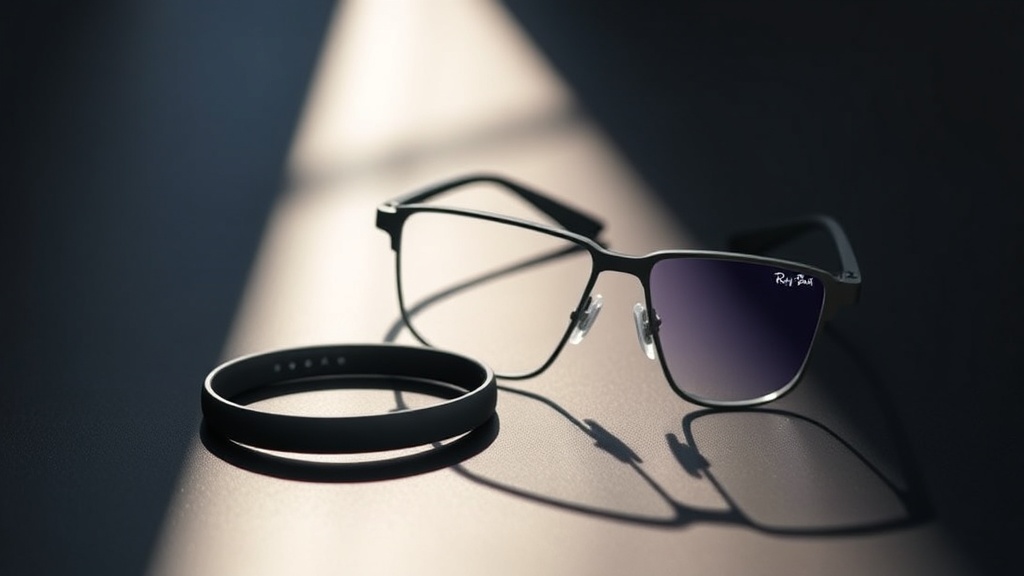
Meta's Ray-Ban Display glasses arrived in September 2025 with a built-in AR display, 12MP camera, and Neural Band controller — all for $799. We spent weeks wearing them daily to find out if they deliver on the hype.
A
admin
April 20, 2026 · 13 min read
Review8/10
Overall Score
8
out of 10Display Quality
8.5
Build & Wearability
8.8
AI Features
8.2
Battery Life
7.5
Value
7.2
Product Info
Meta Ray-Ban Display Smart Glasses
$799.00
Buy on Amazon
Affiliate link — we may earn a commission
The Smartest Glasses You Can Actually Wear in Public
There is a version of the smart glasses story that ends badly — thick frames, glowing sensors, a battery hump at the temple, and strangers asking if you are recording them. Every company that has tried to put a display on your face before Meta has made something that screams "prototype." The Meta Ray-Ban Display, which launched September 30, 2025, tries to write a different ending.
We have been wearing them daily for the better part of three months — through commutes, meetings, travel, and outdoor workouts — and the result is surprising: these are real glasses first and a wearable computer second, and that order of priorities is exactly right. The in-lens display is genuinely useful. The Neural Band controller is clever. The camera shoots 3K video. And when you put them on in a coffee shop, nobody stares.
That said, $799 is not an impulse purchase, the display is limited to one eye, and six hours of continuous use will test your patience on longer days. Here is the complete picture.
What You Get in the Box
The Meta Ray-Ban Display ships as a bundle: the glasses themselves, the Meta Neural Band wristband, a magnetic charging case, a USB-C cable, and a cleaning cloth. The case doubles as a charger, extending total battery life to roughly 30 hours before you need to find a wall outlet.
The frames are available in two styles at launch — the classic Wayfarer shape and the slightly narrower Headliner — with a handful of lens tints including clear, sun, and polarized. We tested the Wayfarer in matte black with the standard tinted lens. The construction is premium: acetate fronts, stainless steel temples, and the same material quality you would find in a $300 pair of optical Ray-Bans. The electronics are neatly integrated into the slightly thicker-than-normal temple arms without ruining the silhouette.
The Neural Band, Meta's EMG wristband that ships with the Display glasses, deserves its own paragraph. It reads the electrical signals from your forearm muscles when you make subtle pinch gestures — thumb to index finger, thumb to middle finger, squeeze — translating those micro-movements into navigation inputs. Scroll through notifications with a tiny index-finger flick. Dismiss an alert with a pinch. Accept a call with a squeeze. After two or three days of calibration time, it becomes genuinely intuitive. The band itself looks like a minimalist fitness tracker and attracts no attention.
The Display: Useful, Not Immersive
Let's address the most important question immediately: what is it actually like to have a screen in your glasses?
The Meta Ray-Ban Display projects a 600×600-pixel image into the lower-right of your right lens. The field of view is 20 degrees — roughly the size of a paperback book held at arm's length. It is not an immersive overlay on the world. It is a heads-up display in the truest sense: a compact information panel that you glance at, read, and return your gaze to the real world.
The brightness is the technical achievement here. Up to 5,000 nits means the display remains readable in direct sunlight — a problem that has defeated every previous smart glasses attempt. In our testing, we read text messages while cycling with the sun at full angle on a clear day, with no squinting required. Indoors at default brightness, the display is comfortable without being distracting.
Content that works well on this display: turn-by-turn navigation directions, incoming message previews, Shazam song identifications, live translation captions, incoming call notifications, and quick AI responses. Content that works less well: anything requiring more than two or three lines of text, images, or video. The display is for information retrieval, not content consumption.
The refresh rate runs at up to 90Hz, which keeps animations and scrolling smooth. Colors are accurate and vibrant — this is not a monochrome HUD but a full-color display. Viewing angle is naturally limited to the right eye, and the left lens remains optically clear at all times.
"The 5,000-nit display is the first heads-up display on smart glasses that is actually readable in sunlight. That alone makes this a significant technical step forward."
Camera: The Best Smart Glasses Camera, Full Stop
The 12MP camera sits at the top of the right temple, positioned similarly to the standard Ray-Ban Meta glasses. What changed is the video capability: where the previous generation topped out at 1080p, the Display glasses shoot 3K resolution at up to 60 frames per second, and they add optical zoom with up to 3x magnification.
The 3x zoom is more useful than it sounds. Photographing a menu across a table, capturing a whiteboard from the back of a conference room, or zooming in on a distant street sign for navigation — these are scenarios where a fixed-focal-length frame camera would fail and the Display glasses succeed.
Image quality in good lighting is genuinely impressive for a camera embedded in glasses. Dynamic range is wide, noise is low, and the images look presentable on a phone screen or small print. Low-light performance is weaker — lens constraints and sensor size mean you are fighting physics — but for everyday use cases, the camera delivers.
Photo and video capture is triggered by a capacitive touch button on the right temple or by voice command to Meta AI. A small LED indicator illuminates when recording, which satisfies the camera notification requirements and addresses privacy concerns head-on.
Buy Meta Ray-Ban Display Smart Glasses on Amazon
Meta AI Integration: The Feature That Ties It Together
The AI layer running across the Meta Ray-Ban Display is what elevates the hardware from a novelty to a genuine tool. Say "Hey Meta" and you have access to a capable AI assistant with a microphone positioned close to your mouth and a speaker near your ear — with optional bone-conduction audio on some frame variants.
Navigation is the killer use case. "Hey Meta, navigate to the nearest coffee shop" produces walking directions served directly to the display, turn by turn, without needing to pull out your phone. We used this repeatedly during a trip through an unfamiliar city and it was genuinely freeing — eyes up, hands free, no phone checking.
Live translation is impressive. Point the camera at a menu in Italian or French, say "Hey Meta, translate this," and a readable English translation overlays on the display within seconds. The accuracy is high, the latency is low, and the experience of reading a foreign menu through your glasses without touching a phone feels meaningfully futuristic.
App integrations include WhatsApp, Messenger, Instagram, Spotify, Audible, iHeart Radio, Google Calendar, Outlook, Shazam, and Amazon Music. Incoming message notifications appear on the display and can be responded to via voice dictation. Spotify controls let you skip tracks and adjust volume without touching your phone. Shazam identifies songs playing in the environment and displays the title and artist on the lens.
The on-device privacy model is competent: most AI processing routes through Meta's servers with reasonable data handling, and voice recordings are not stored by default. The camera LED requirement for notification is enforced at the hardware level.
Battery Life: The Honest Conversation
Six hours of continuous mixed use — display active, AI assistant available, music streaming — is the real-world number. Meta's official spec of "up to 6 hours" proved accurate in our testing, sometimes falling slightly short under heavy use.
The saving grace is the charging case. Like the AirPods Pro case, it holds multiple full charges for the glasses, extending total available battery to approximately 30 hours. The glasses charge in roughly 75 minutes inside the case. In practice, we dropped the glasses into the case whenever they came off our face — at a desk, in a pocket, in a bag — and battery anxiety was minimal.
Where it gets harder is in scenarios where you want continuous wear: a full day of travel, a long hiking trip, a music festival. Six hours of display-on use is not enough for those cases, and the case is not small enough to be convenient in every situation. Users who need all-day wearable computing should factor this into their decision.
The Neural Band has its own battery, rated for around 8 hours of active use, charged via USB-C.
Build Quality and Everyday Wearability
This is where the Meta Ray-Ban Display genuinely shines. The collaboration between Meta and Ray-Ban has produced a product that passes the aesthetic filter that has killed every previous smart glasses attempt. Colleagues, family members, and strangers encountered in public did not comment on the technology. Several noticed the glasses specifically as good-looking frames.
The acetate construction has a solidity and warmth that plastic electronics housings cannot match. The hinge action is smooth. The temple arms taper naturally rather than bulging with battery compartments. Prescription lens compatibility is available through LensCrafters, which means people who actually need corrective lenses can use these.
The 49g weight is slightly heavier than non-tech Ray-Bans but lighter than any previous display-equipped smart glasses by a considerable margin. Wearing them for a full day produced no ear or nose fatigue.
The Wayfarer frame is a timeless design that works on most face shapes. The Headliner alternative is a more contemporary rounded square that suits narrower faces. Additional frame styles are planned for 2026, and the prescription partnership with LensCrafters makes these genuinely accessible rather than limited to those with perfect vision.
Buy Meta Neural Band Wristband on Amazon
Comparing to the Competition
The competitive landscape for display-equipped smart glasses is thin. Google's first Glass attempt in 2013 established that the idea was technically feasible and socially fraught. Snap's Spectacles have remained a developer tool. The closest current competitor is the standard Ray-Ban Meta (non-Display) model, which lacks the in-lens display but is $100 cheaper at around $329.
The question is whether the display justifies the $470 premium over the display-free version. For users who want hands-free navigation, live translation, and at-a-glance notifications, the answer is yes. For users who primarily want to use the camera and listen to music, the standard Ray-Ban Meta provides a better value proposition.
Apple's rumored smart glasses project remains unannounced as of April 2026. Samsung has demonstrated prototype smart glasses but has not shipped a consumer product. For anyone who wants display-equipped smart glasses today, the Meta Ray-Ban Display is the only serious option.
Who Should Buy Them
Buy the Meta Ray-Ban Display if you frequently need hands-free navigation in unfamiliar environments, travel internationally and would benefit from live translation, want to receive and reply to messages without pulling out your phone, or are genuinely curious about the trajectory of wearable computing and want a first-generation device that is not embarrassing to wear.
Be cautious if battery life is a strict daily requirement, you need an immersive AR experience rather than a HUD, you are primarily interested in the camera and can save $470 with the standard Ray-Ban Meta, or you are buying them primarily as sunglasses — the lens tint options are limited and the electronics will always be present.
The $799 price point puts these firmly in enthusiast-and-early-adopter territory. This is not a mainstream purchase yet. But for the right user, they are the most capable and wearable smart glasses ever sold.
The Verdict
The Meta Ray-Ban Display represents a genuine inflection point in wearable computing. The display works in sunlight. The AI integration is useful. The Neural Band is clever. The camera is the best on any smart glasses. And most importantly, they look like glasses.
The narrow field of view and single-lens display keep expectations grounded — this is a heads-up display, not augmented reality — and the six-hour battery life requires the carrying case discipline of an AirPods user. But as a first-generation display product built into a form factor that people will actually wear in public, the Meta Ray-Ban Display succeeds where every previous attempt has failed.
If you are a tech-forward early adopter who values hands-free information access, this is the most compelling wearable released in years. The rest of us can watch this generation ship, note the lessons learned, and look forward to what comes next.
What We Liked
- 600×600 in-lens display is bright enough to read in direct sunlight at 5,000 nits
- Genuinely looks like regular Ray-Ban Wayfarer frames — not a gadget costume
- Neural Band pinch gestures feel natural and disappear into everyday use
- 3K/60fps camera with 3x zoom is the best camera on any smart glasses to date
- Meta AI integration covers navigation, translation, messaging, and Shazam hands-free
What Could Improve
- 20-degree field of view is narrow — display occupies a small corner of your vision
- Only 6 hours continuous use; power users will need the charging case nearby
- $799 is a significant ask for a first-generation display product
- Display limited to right lens only — no stereoscopic or immersive AR
The Verdict
The Meta Ray-Ban Display is the most wearable smart glasses ever made. The display is genuinely useful for notifications, navigation, and live translation — and 5,000 nits of brightness means it actually works in sunlight. The narrow field of view and right-lens-only design keep this firmly in heads-up-display territory rather than true AR, but as a companion device for your phone it is exceptionally well executed. If you are curious about where wearable computing is going, this is the most compelling first step yet. If you need a full AR experience today, you will need to wait.
Was this article helpful?
Join the conversation — sign in to leave a comment and engage with other readers.
Loading comments...
Related Posts
wearables
Best Smartwatches for Fitness in 2026: Ultimate Buyer's Guide
Apr 4, 2026software-tools
Logitech MX Master 4 Review: The Productivity Mouse Reinvented With Haptics
Apr 20, 2026software-tools
Kindle Scribe (2025) Review: Amazon's Best E-Reader and Note-Taker Gets a Major Overhaul
Apr 20, 2026smart-home
Anker SOLIX C1000 Gen 2 Portable Power Station Review: The Best Mid-Size Station Gets Better
Apr 20, 2026Enjoyed this article?
Get the best tech reviews, deals, and deep dives delivered to your inbox every week.