NewsCybersecurity5 min read
Signal Isn't Broken — But Russia-Linked Phishing Is Hitting Senior Officials
German officials have publicly attributed a Signal phishing wave to Russia-linked groups. Crucially, attackers didn't break the encryption — they exploited the linked-device flow with fake 'Signal support' messages and bogus group-chat invites. Here's how the attack actually works and the 60-second hardening checklist.
Omer YLD
Founder & Editor-in-Chief
5 min · 1,000 words
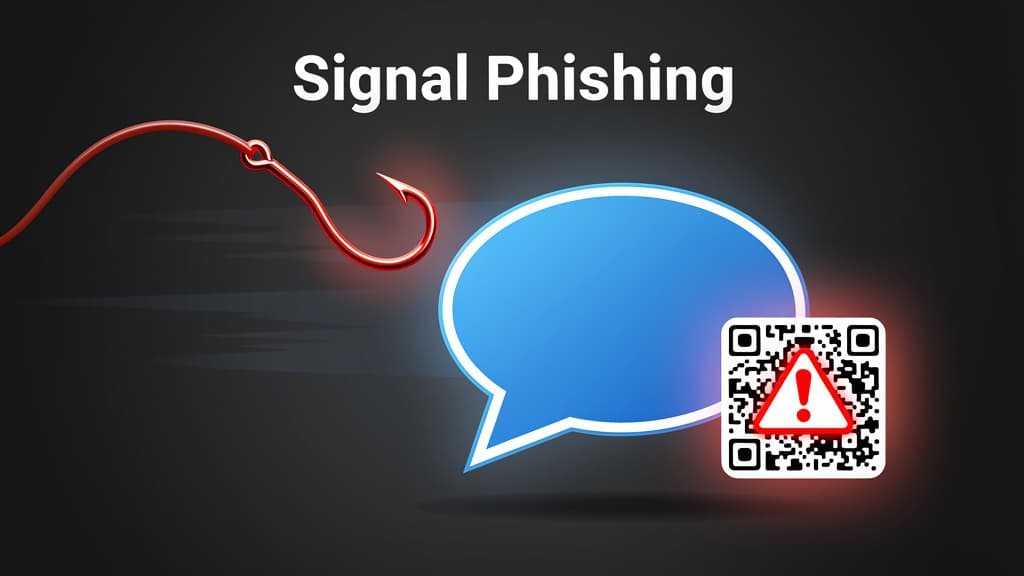
Illustration · Technerdo
German officials publicly attributed a wave of Signal phishing attacks to Russia-linked groups this week, with senior politicians among the targets. The story matters less for the geopolitics and more for the technique — because the attackers did not break Signal's encryption. They didn't have to. They exploited the linked-device flow and the human-trust gap with fake "Signal support" messages and bogus group-chat invites.
Signal's Protocol, the gold standard of end-to-end encrypted messaging, remains intact. The failure mode is social engineering. If you use Signal — and especially if you've added a desktop or iPad as a linked device — this one's worth a careful read and a 60-second hardening pass.
What's actually happening
Signal lets users add additional devices — a desktop client on macOS or Windows, an iPad — to their account. The enrollment flow uses a QR code: your primary phone scans the QR shown by the new device, the two devices establish a key exchange, and the new device joins the account as a "linked device" capable of receiving and sending messages on behalf of your identity.
That linked-device flow is the attack surface. The campaign disclosed by German intelligence and corroborated by earlier Malwarebytes reporting works like this:
- Target receives an inbound message — sometimes appearing to come from "Signal Support" or a well-known contact whose account was previously compromised — claiming there's a verification or security issue.
- The message contains a link or QR code. The link leads to a phishing page that displays a Signal-branded "verify your account" QR code. The QR code is actually a linked-device enrollment QR controlled by the attacker.
- If the target scans the QR with their primary Signal app, they unwittingly add the attacker's device as a linked device on their own account.
- The attacker now has a real, persistent Signal device receiving every message the target receives — without the target's primary device showing any obvious sign anything is wrong.
A variant of the attack uses fake group-chat invites: the target is added to or invited into a group, the group has only one other member (the attacker), and the group's "info" page is crafted to display the linked-device QR as if it were normal group setup.
Both variants succeed because the target executes the action that compromises them. Signal's encryption is doing exactly what it's supposed to. The system is being subverted from the user side.
Why senior officials specifically?
The targeting of senior German officials, plus earlier reporting of similar campaigns against Ukrainian military personnel and journalists covering Russia, fits a pattern. State-aligned attackers want persistent passive access to the messaging traffic of decision-makers and information sources — not the much louder smash-and-grab data exfiltration normally associated with criminal groups.
A linked-device intrusion is exactly that: silent, persistent, and indistinguishable from a legitimate iPad or laptop without active auditing. The attacker reads every message in real time but doesn't act on what they read in any way the target would notice. Months can pass before the device shows up in a routine audit, if the target ever runs one.
This is a generic state-tradecraft pattern, not Signal-specific. WhatsApp's linked-device flow has been targeted similarly. Telegram has seen variants. The lesson isn't that Signal is uniquely vulnerable — it's that end-to-end encryption protects messages in transit but not the keys to the account itself.
The 60-second hardening checklist
Run these now. They take less than a minute total and block the entire attack family:
1. Turn on Registration Lock PIN
Settings → Account → Signal PIN → Registration Lock → ON
Registration Lock requires a 4–20 digit PIN to re-register your phone number on Signal. Without it, a SIM-swap attacker who acquires your phone number can re-register and effectively take over your account. With it, they need the PIN too.
2. Audit linked devices
Settings → Linked Devices
Review every device listed. Anything you don't recognize, remove immediately. Anything you recognize but no longer use (an old laptop, a previous iPad), remove it too — minimizing attack surface.
3. Set a calendar reminder for monthly audits
The linked-device list is the attack's blind spot. Run the audit once a month. It takes 15 seconds.
4. Treat any "Signal Support" message as malicious
Signal does not message users for verification. If a message claims to be from "Signal Support," it isn't. Block, report, delete.
5. Lock the app
Settings → Privacy → Screen Lock → ON
Requires Face ID, Touch ID, or device passcode to open Signal. If your phone is briefly out of your hands, the attacker can't fast-tap into Linked Devices and provision a new one.
6. Disable message previews
Settings → Notifications → Show → No Name or Content
Reduces the leak surface from over-the-shoulder snooping in public.
7. Review your registered phone-number rotation
If your phone number is published anywhere — professional bio, journalist contact card — consider rotating to a Signal username (now supported as of 2024) and removing your phone number from the discoverable directory. Settings → Privacy → Phone Number → Who can see my number → Nobody.
For deeper background on personal cybersecurity hygiene, see our companion guide on how to spot AI-driven phishing in 2026.
What's next
Signal has been steadily improving the linked-device flow over the past two years — username support, the optional username-only contact discovery, the Registration Lock improvements. The next obvious hardening step would be mandatory secondary confirmation when a new device is linked: requiring a passphrase or a secondary biometric on the primary device before linking completes. The Foundation has signaled receptiveness to this kind of friction, but no public roadmap commitment yet.
For users, the practical takeaway is unchanged: encryption protects what's encrypted. Account access is a separate problem that requires user vigilance. Run the seven-step audit above, set the calendar reminder, and treat unsolicited verification requests on any messaging app as adversarial by default. The Signal Protocol is doing its job. The rest is on you.
Was this piece worth your five minutes?
Join the conversation — sign in to leave a comment and engage with other readers.
Loading comments...