NewsCybersecurity5 min read
Microsoft Warns: WhatsApp on Windows Hit by VBS Malware Campaign
Microsoft Defender flagged an active campaign delivering malicious .vbs attachments through WhatsApp Desktop on Windows. The malware uses built-in Windows tools to install MSI backdoors that most antivirus misses. Here's how it works and how to stay safe.
Omer YLD
Founder & Editor-in-Chief
5 min · 1,000 words
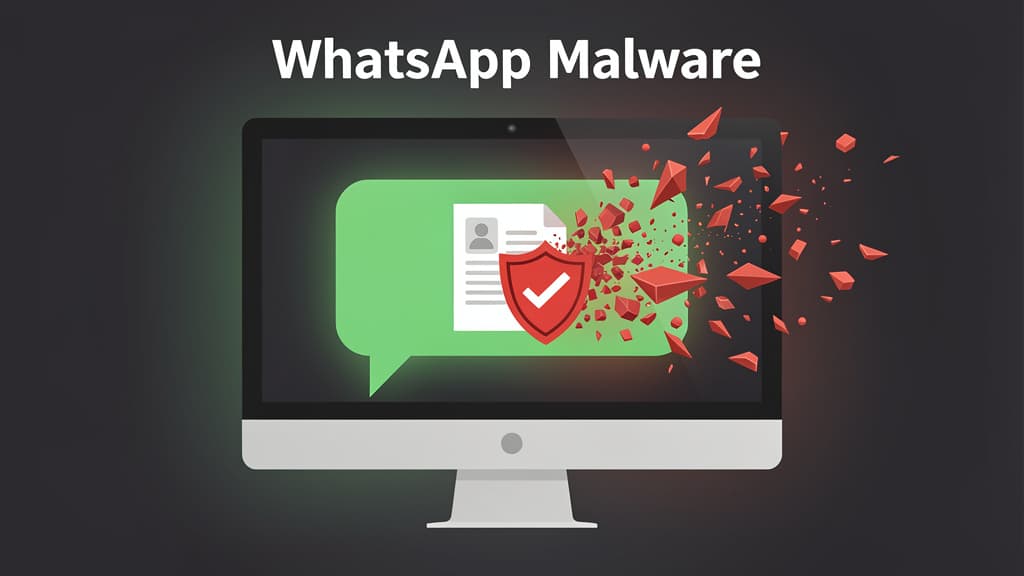
Illustration · Technerdo
Microsoft Defender disclosed an active malware campaign delivering malicious VBScript (.vbs) attachments through WhatsApp Desktop on Windows, with Malwarebytes corroborating the threat and The Hacker News reporting renewed activity through April. The campaign is unusually clean: it uses built-in Windows binaries to do its dirty work, which means most antivirus engines never raise a flag.
If you use WhatsApp Desktop on a Windows PC — and especially if you're on Windows 10 or 11 with default file-extension settings — this one's worth a five-minute read.
What's actually happening
The campaign — first flagged by Microsoft in late March and still running as of this week — starts with a WhatsApp message from someone in your contacts. Because the sender is usually a real friend whose account was previously hijacked, the message passes the human-trust filter that defeats most phishing.
The attachment looks like an image preview or a "document" — but the real file is named something like IMG_2026_April.jpg.vbs or Invoice_2026.pdf.vbs. Windows hides the .vbs extension by default, so the user sees IMG_2026_April.jpg and double-clicks expecting an image. What runs instead is a Visual Basic script.
That's where the campaign gets clever. The .vbs file doesn't drop obvious malware. It:
- Copies several legitimate Windows binaries — PowerShell,
mshta.exe,regsvr32.exe,bitsadmin.exe— to a hidden folder under disguised filenames. - Calls those copied binaries to download follow-on payloads from AWS S3, Tencent Cloud, and Backblaze B2 — public cloud services that no firewall blocks.
- Installs a Microsoft Installer (.msi) package as the final payload, which establishes persistence (registers a scheduled task), bypasses UAC via a known Windows trick, and opens a remote-control channel.
This is "living off the land" — every executable in the chain is signed by Microsoft. There's no novel malware binary for antivirus to fingerprint, no malicious certificate to revoke, no obviously bad domain to block. From a network-monitoring perspective the traffic looks identical to a developer using AWS or a user on a Tencent cloud app.
Why the WhatsApp angle matters
Two reasons this campaign hits harder than the average .vbs phishing wave:
Trust laundering through a hijacked contact. Most phishing arrives from an unknown sender — a fake Amazon, an "IT support" call, a stranger's email. WhatsApp messages come from people you already talk to. When your cousin sends a "look at this" attachment, your skepticism is at floor level. The campaign deliberately recycles compromised accounts so the lure always lands inside an existing conversation.
Windows hides the real extension. WhatsApp Desktop on Windows accepts attachments and, when downloaded, they land in your Downloads folder. Windows 10/11 ship with Hide extensions for known file types on by default, so a file called report.pdf.vbs shows up as report.pdf with a script icon you'd have to be looking for. Older or less-technical users who reflexively double-click whatever a friend sends are the meat of this campaign's victim pool.
What to do — 60 seconds of hardening
Three changes block this entire family of attack:
- Show file extensions in Windows. Open File Explorer → View → Show → File name extensions. Tick it. Now
.vbsfiles show as.vbs. This single change defeats most "image-that's-actually-a-script" lures. - Disable WhatsApp Desktop's auto-download for media from unknown senders if your version supports it. At minimum, never open an attachment that ends in
.vbs,.js,.bat,.cmd,.scr,.lnk, or.iso. None of those are images. None are documents. - Run a current Microsoft Defender scan. As of the late-March advisory, Defender detects the chain by behavior even though individual binaries are signed. Open Windows Security → Virus & threat protection → Quick scan. Make sure real-time protection and tamper protection are both on.
If you suspect you opened a malicious .vbs attachment recently:
- Disconnect from the network
- Run a full Defender scan (and a second-opinion tool like Malwarebytes Free)
- Change passwords for any account you logged into on that PC since the attachment ran — especially WhatsApp, banking, and email
- Check Task Scheduler for unfamiliar scheduled tasks
- If the machine had any sensitive credentials saved in browser, treat them as potentially exposed
For a deeper general hardening guide, see our piece on how to spot AI-driven phishing in 2026.
What's next
Microsoft hasn't attributed the campaign to a specific actor publicly, but the infrastructure pattern (multi-cloud staging, legitimate-tool abuse, Spanish and Portuguese language lures most prominent) overlaps with several Latin American banking-trojan crews that have been retooling toward LOLBin-heavy chains since 2024. Expect copycat campaigns within weeks — the playbook is now public, and the success rate against unprotected Windows installs is high enough that other crews will copy the WhatsApp delivery angle.
The longer-term fix is on Microsoft and Meta. Microsoft has been gradually deprecating VBScript across Windows 11 and the latest 24H2 servicing branch will eventually disable it by default — but "eventually" is doing a lot of work in that sentence; the deadline keeps slipping. Meta could close the WhatsApp Desktop attack surface by implementing stricter attachment-type policies on the desktop client, but has shown no public sign of doing so.
Until those things happen, the burden is on users: turn on file extensions, treat any unexpected attachment from any sender — including friends — as a potential threat, and remember that "from someone you trust" stopped being a meaningful security signal a long time ago.
Was this piece worth your five minutes?
Join the conversation — sign in to leave a comment and engage with other readers.
Loading comments...